
Deliver the whole submission to an inbox
A window installer quotes from a short brief: rooms, measurements, a deadline. The team works out of a shared inbox and does not want a spreadsheet in the loop. The submission itself should be the message.
- The scenario
- A small installer with a shared
quotes@inbox. Everything is triaged by reading and replying; nobody logs in to a dashboard during the day. - What you end up with
- Each quote request arrives as a formatted message in the inbox you choose, carrying every submitted answer.
- You need
- Gmail sending connected in Account › Google
- A Pro workspace — Email to inbox is a Pro output
- The inbox address the messages should go to
-
Setup › Output
Understand which email this is
Webtzm can send you two very different emails, and the console keeps them apart because confusing them wastes an afternoon.
Compared on Email to inbox Owner submission alert What it is The workflow's output — the record itself A notification that something happened What it contains Every submitted answer Metadata only: which form, when, what state Where you set it Setup › Output Behavior › Delivery & alerts Can you have both? Yes — they are independent Yes -
Setup › Output
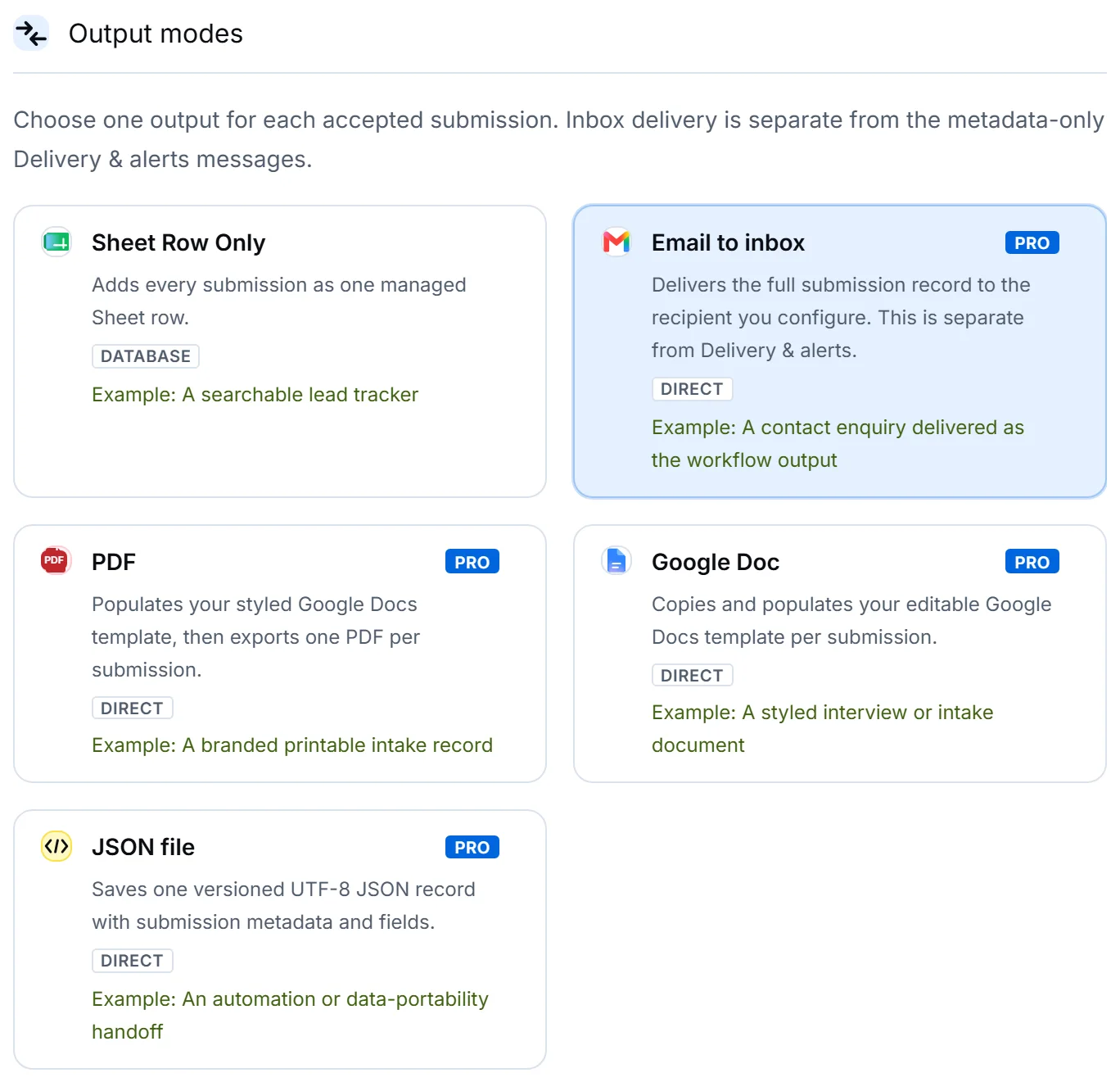
Choose Email to inbox
 Open full size
The five outputs, with the note that inbox delivery is separate from the metadata-only Delivery & alerts messages — stated on the control itself. -
Setup › Output
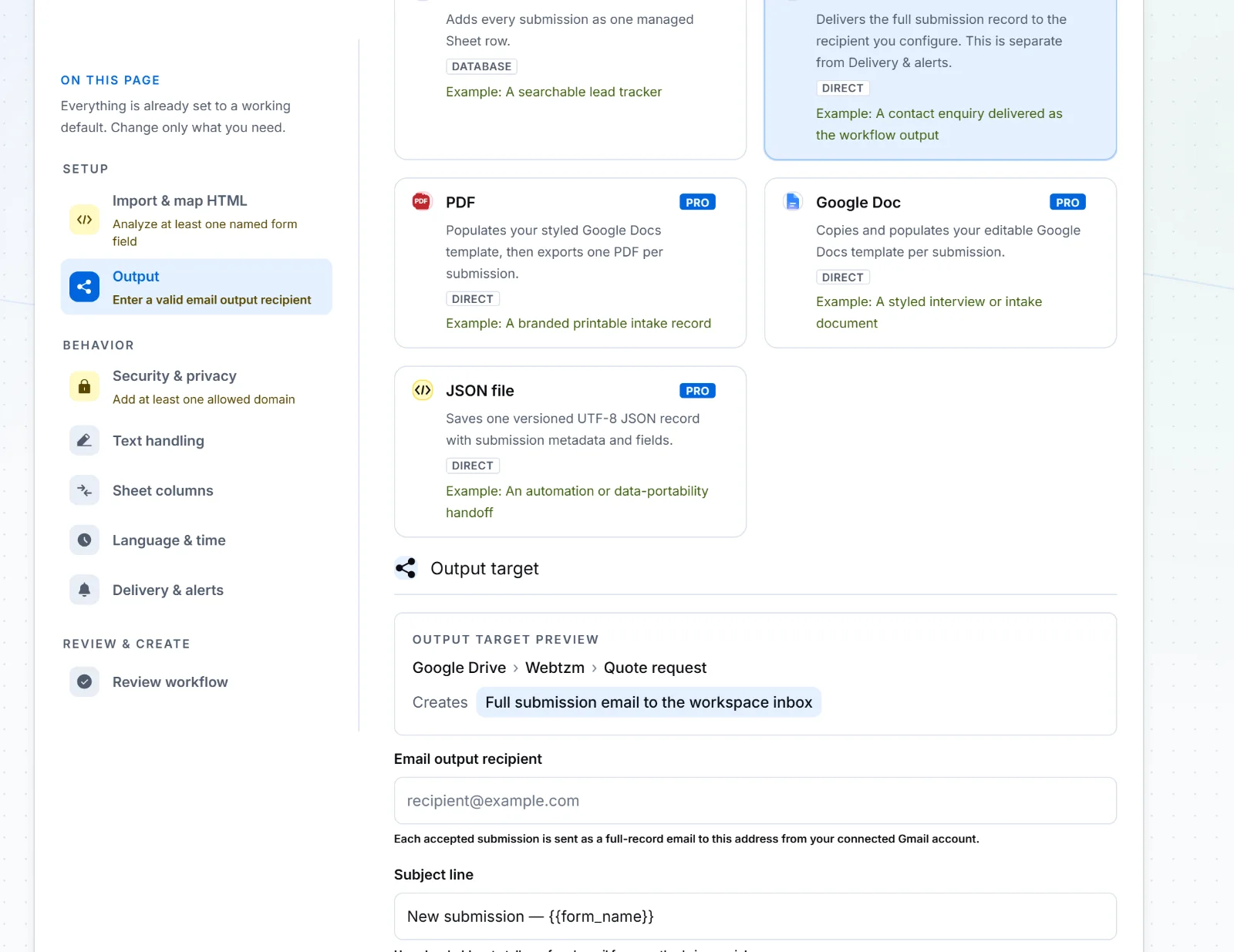
Set the recipient, the subject and the body
Selecting the output reveals its own settings. This is where the message is composed once, rather than by whoever happens to read it.
 Open full size
The subject line is worth care: it is what the shared inbox sorts and searches on. Put the submitted values you triage by into it. - Recipient — the inbox that receives the record. Use a shared address, not a person's, so it survives somebody's holiday.
- Subject — build it from the fields you triage by, so the inbox list is readable without opening anything.
- Body — the message itself. Every submitted field is available to place in it.
-
Dashboard › Submissions
Publish and confirm
Copy the generated code onto your page exactly as in the registration tutorial, publish, and send one invented quote request.
Confirm in two places. The message should be in the inbox, and Submissions should show Delivered against that submission. If the console says Delivered and the inbox is empty, look in spam and check the recipient address — delivery succeeded on Webtzm's side.
When to choose this output, and when not to
Inbox delivery suits work that is done by replying. It is a poor fit for anything you will later want to count, sort or report on, because an inbox is not a table.
- Choose it when every submission becomes a conversation, and the record's job is to start one.
- Choose a Sheet row instead when you will ever want to ask how many, from where, or how fast.
- Choose both — as two workflows — when the team replies from the inbox but somebody reports on the numbers monthly.
The difference is not theoretical. Here is one submission as it arrives through each route — the output carries every answer, and the alert carries none:
Subject: Quote request from Tom Whitfield

Webtzm submission record
Reference: 7dab7d37-7f65-4002-a8f3-968285618928
Accepted at: 2026-09-07T09:51:07.738Z
Synced at: 2026-09-07T09:51:30.749Z
Timezone: UTC

Name: Tom Whitfield
Email: tom.whitfield@example.com
Job: Replace six sash windows at the front of a Victorian terrace. Single glazed at the moment.
Rooms: 6 or more
Preferred Date: 2026-10-12Subject: [Webtzm] New submission — Quote request
Webtzm accepted a new submission for Quote request.
Reference: 7dab7d37-7f65-4002-a8f3-968285618928
No submitted answers are included in this alert.